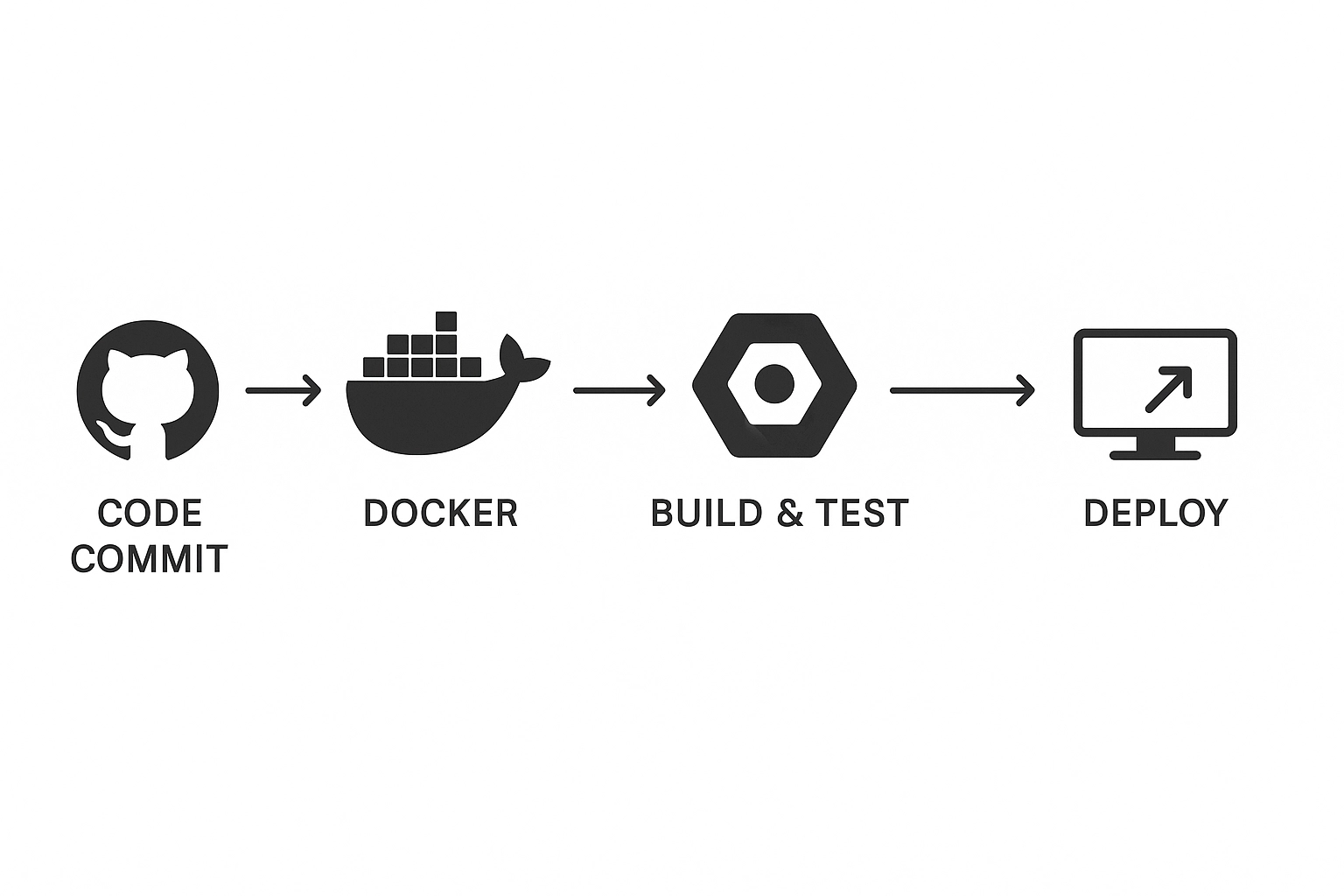
In today’s fast-paced software development world, the ability to ship code quickly and reliably separates successful teams from those left behind. DevOps practices, particularly Continuous Integration and Continuous Deployment (CI/CD), have become essential skills for modern developers and cloud engineers.
Recently, I completed a comprehensive “Building a DevOps Pipeline” in Google Cloud lab that walks through building a complete DevOps pipeline from scratch. This hands-on experience demonstrates the power of combining GitHub, Docker, Google Cloud Build, and Artifact Registry to create an automated deployment workflow that would impress any hiring manager or technical interviewer.
In this post, I’ll share my journey through building this pipeline, the key insights I gained, and how this project showcases essential DevOps and cloud engineering skills that employers actively seek.
What We’re Building: A Production-Ready DevOps Pipeline
This project creates a complete CI/CD pipeline that automatically builds, tests, and deploys a Python Flask application whenever code changes are pushed to GitHub. Here’s the high-level architecture:
- Source Control: GitHub repository with version control
- Application: Python Flask web application with proper structure
- Containerization: Docker for consistent deployment environments
- Build Automation: Google Cloud Build for CI/CD
- Registry: Artifact Registry for container image storage
- Deployment: Compute Engine for running the application
The pipeline demonstrates real-world DevOps practices including automated builds, container orchestration, and infrastructure management—all crucial skills for cloud and DevOps engineering roles.
Prerequisites and Setup
Before diving into the implementation, you’ll need:
- Google Cloud Platform account with billing enabled
- Basic knowledge of Git, Python, and command-line operations
- Familiarity with Docker concepts (helpful but not required)
Required GCP Services:
- Cloud Shell and Cloud Build API
- Artifact Registry API
- Compute Engine API
The beauty of this setup is that it uses five credits of Google Cloud, making it perfect for learning and portfolio development without paying for anything.
Phase 1: Repository Setup and GitHub Integration
Setting Up the Foundation
The first critical step involves establishing proper source control with GitHub integration. This isn’t just about storing code—it’s about creating the foundation for automated workflows.
# Install GitHub CLI in Cloud Shell
curl -sS https://webi.sh/gh | sh

# Authenticate with GitHub
gh auth login

# Create environment variable for username
GITHUB_USERNAME=$(gh api user -q ".login")
echo ${GITHUB_USERNAME}

# Configure Git credentials
git config --global user.name "${GITHUB_USERNAME}"
git config --global user.email "${USER_EMAIL}"
Repository Creation and Cloning
# Create private repository
gh repo create devops-repo --private

# Set up project structure
mkdir gcp-course
cd gcp-course
gh repo clone devops-repo
cd devops-repo
Phase 2: Building the Python Flask Application
Application Architecture
The Flask application follows proper MVC patterns with separated concerns:
# main.py - Application entry point
from flask import Flask, render_template, request
app = Flask(__name__)
@app.route("/")
def main():
model = {"title": "Hello DevOps Fans."}
return render_template('index.html', model=model)
if __name__ == "__main__":
app.run(host='0.0.0.0', port=8080, debug=True, threaded=True)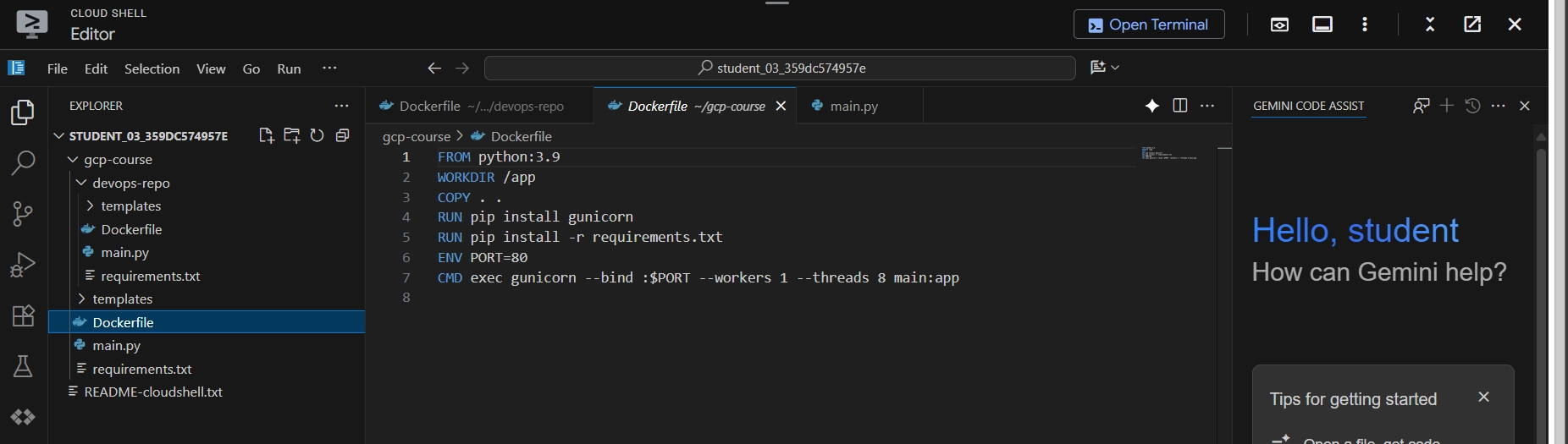 Cloud Shell Editor showing project structure with folders and files
Template Structure
The application uses Jinja2 templating with a proper base layout:
<!-- templates/layout.html -->
<!doctype html>
<html lang="en">
<head>
    <title>{{model.title}}</title>
    <link rel="stylesheet" href="https://stackpath.bootstrapcdn.com/bootstrap/4.4.1/css/bootstrap.min.css">
</head>
<body>
    <div class="container">
        {% block content %}{% endblock %}
        <footer></footer>
    </div>
</body>
</html>
Dependency Management
# requirements.txt
Flask>=2.0.3
This demonstrates understanding of Python package management and version control—essential for maintainable applications.
Version Control Best Practices
# Add all files to Git
git add --all

# Commit with meaningful message
git commit -a -m "Initial Commit"

# Push to remote repository
git push origin main
Phase 3: Containerization with Docker
Dockerfile Strategy
The containerization approach uses multi-layered optimization:
# Use official Python runtime as base image
FROM python:3.9

# Set working directory
WORKDIR /app

# Copy application code
COPY . .

# Install production WSGI server
RUN pip install gunicorn
RUN pip install -r requirements.txt

# Configure runtime environment
ENV PORT=80
CMD exec gunicorn --bind :$PORT --workers 1 --threads 8 main:app
Key Technical Decisions Explained:
- Python 3.9 Base Image: Provides stable, well-maintained environment
- Gunicorn WSGI Server: Production-grade server vs Flask’s development server
- Environment Variables: Enables configuration flexibility
- Multi-worker Configuration: Improves performance and reliability
 Dockerfile in the Cloud Shell Editor
Phase 4: Google Cloud Build Integration
Artifact Registry Setup
Before building images, we establish a secure registry:
# Create Artifact Registry repository
gcloud artifacts repositories create devops-repo \
    --repository-format=docker \
    --location=europe-west1

# Configure Docker authentication
gcloud auth configure-docker europe-west1-docker.pkg.dev
Initial Build Process
# Build and push image to registry
gcloud builds submit --tag europe-west1-docker.pkg.dev/$DEVSHELL_PROJECT_ID/devops-repo/devops-image:v0.1 .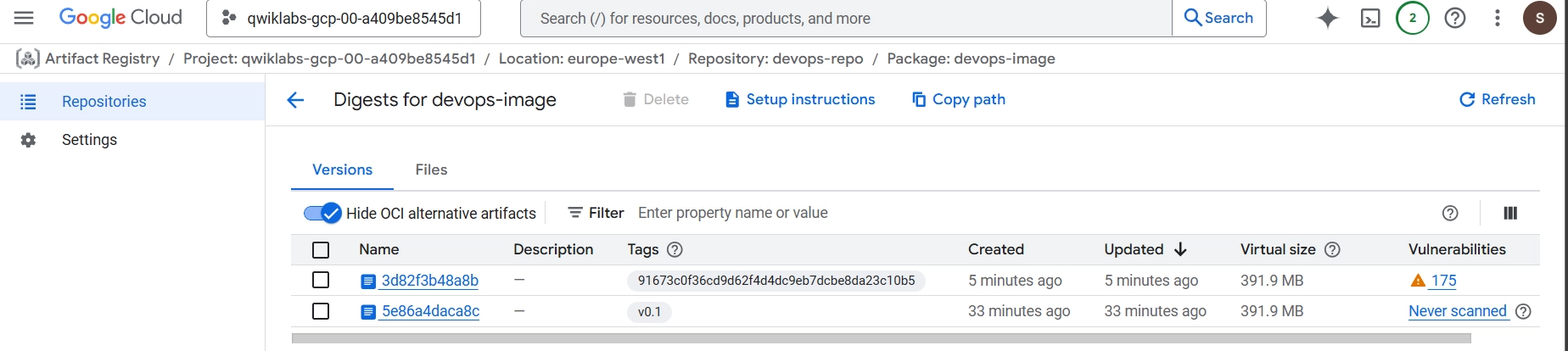 Artifact Registry showing the built image
This command demonstrates several DevOps concepts:
- Automated Building: Cloud Build handles the entire process
- Tagging Strategy: Version-controlled image naming
- Registry Integration: Secure image storage and distribution
Deployment Verification
In this step, we deploy image from cloud artifact to Compute Engine for testing and using container configuration with the HTTP port enabled.
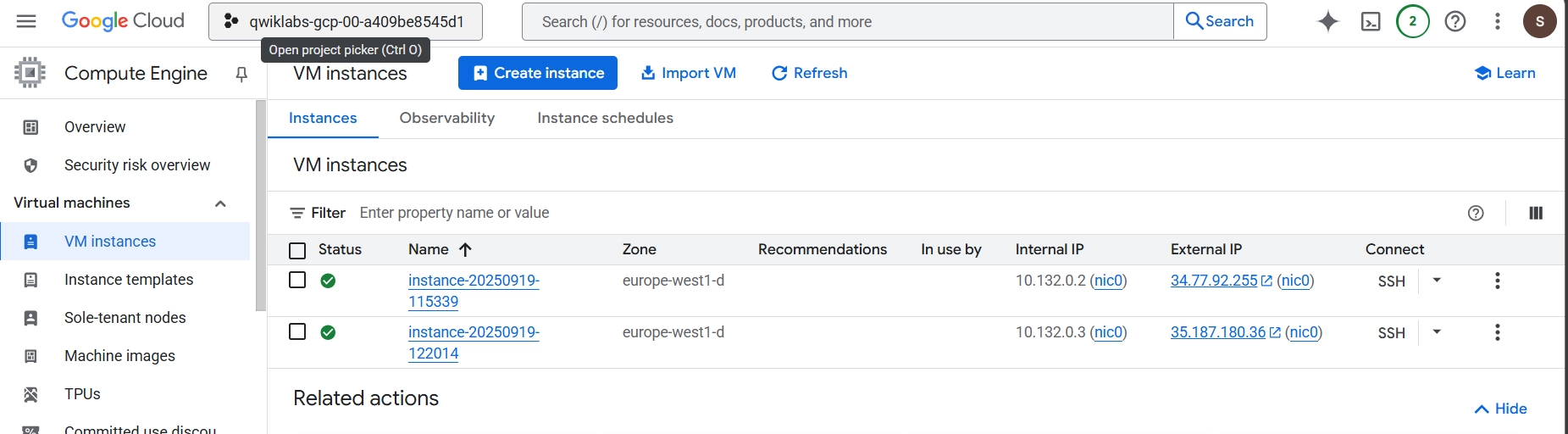 Compute Engine instance running the containerized application
Phase 5: Automated CI/CD with Build Triggers
Build Trigger Configuration
The automation magic happens with Cloud Build triggers:
# cloudbuild.yaml
steps:
  - name: 'gcr.io/cloud-builders/docker'
    args: ['build', '-t', 'europe-west1-docker.pkg.dev/$PROJECT_ID/devops-repo/devops-image:$COMMIT_SHA', '.']
images:
  - 'europe-west1-docker.pkg.dev/$PROJECT_ID/devops-repo/devops-image:$COMMIT_SHA'
options:
  logging: CLOUD_LOGGING_ONLY
Advanced Configuration Elements:
- Commit SHA Tagging: Ensures unique, traceable builds
- Centralized Logging: Proper observability practices
- Variable Substitution: Flexible, reusable configuration
Trigger Setup Process
- Repository Connection: GitHub integration with OAuth
- Branch Configuration: Wildcard matching for flexibility
- Service Account: Proper IAM permissions
- Build Configuration: Inline YAML for immediate execution
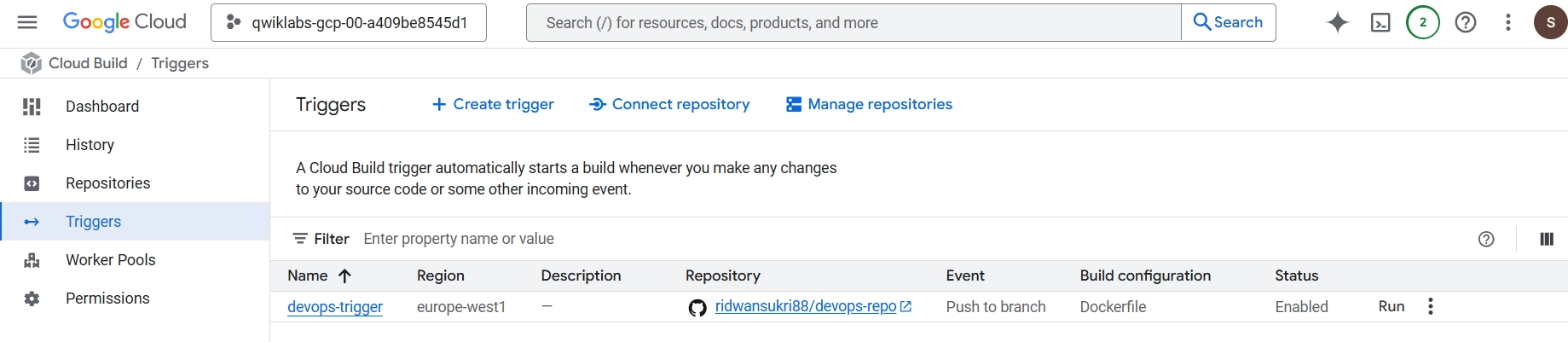 Cloud Build trigger configuration in the GCP Console
Phase 6: Testing and Validation
Automated Testing Workflow
The pipeline includes comprehensive testing:
# Code change to test automation
@app.route("/")
def main():
    model = {"title": "Hello Build Trigger."}
    return render_template("index.html", model=model)
# Commit and push changes
git commit -a -m "Testing Build Trigger"
git push origin mainThis triggers the complete workflow:
- Code Push Detection: GitHub webhook activation
- Automated Building: Cloud Build execution
- Registry Update: New image version
- Deployment Ready: Available for production use
 “Hello Build Trigger” deployed to Compute Engine from Cloud Build.
Key Technical Insights and Learning Outcomes
DevOps Best Practices Demonstrated
1. Infrastructure as Code (IaC)
- Dockerfile defines infrastructure requirements
- Cloud Build configuration manages deployment pipeline
- Reproducible, version-controlled infrastructure
2. Continuous Integration Principles
- Automated testing on every commit
- Consistent build environments via containers
- Fast feedback loops for developers
3. Security and Access Management
- Private repositories for code security
- IAM service accounts with least privilege
- Container image signing and verification
4. Monitoring and Observability
- Cloud Build logging for pipeline visibility
- Container health checks and monitoring
- Deployment verification processes
Scaling and Production Considerations
Next Steps for Enhancement
To make this production-ready, we can consider:
1. Advanced Testing
# Enhanced cloudbuild.yaml with testing
steps:
  - name: 'python:3.9'
    entrypoint: 'python'
    args: ['-m', 'pytest', 'tests/']
  - name: 'gcr.io/cloud-builders/docker'
    args: ['build', '-t', '${_IMAGE_NAME}:$COMMIT_SHA', '.']
2. Multi-Environment Deployment
- Development, staging, and production environments
- Environment-specific configuration management
- Automated promotion workflows
3. Advanced Monitoring
- Application performance monitoring
- Log aggregation and analysis
- Alert management and incident response
4. Security Enhancements
- Container vulnerability scanning
- Secrets management with Secret Manager
- Network security policies
Conclusion
Building this DevOps pipeline has been an incredibly valuable learning experience that demonstrates the power of modern cloud-native development practices. The project showcases essential skills that employers actively seek: automated deployment pipelines, containerization expertise, cloud platform proficiency, and security-conscious development.
What makes this project particularly valuable for a portfolio is its completeness—it’s not just a “hello world” example, but a production-ready pipeline that handles real-world concerns like security, monitoring, and scalability. The integration of multiple Google Cloud services demonstrates platform expertise, while the automation components show understanding of DevOps principles.
For fellow developers and cloud engineers, I encourage you to build similar projects. The hands-on experience of connecting GitHub, Docker, and cloud services provides insights that you simply can’t get from reading documentation alone. Each component teaches valuable lessons about modern software delivery.
This pipeline serves as a foundation for more complex projects and demonstrates readiness for DevOps and cloud engineering roles. Whether you’re building a startup’s infrastructure or working at an enterprise level, these fundamental patterns remain consistent.
Tags: #DevOps #GoogleCloud #Docker #CI/CD #Flask #Python #Containerization #CloudBuild #ArtifactRegistry #GitHub #Automation #Portfolio #CloudEngineering